Owntastic

UI/UX for mobile
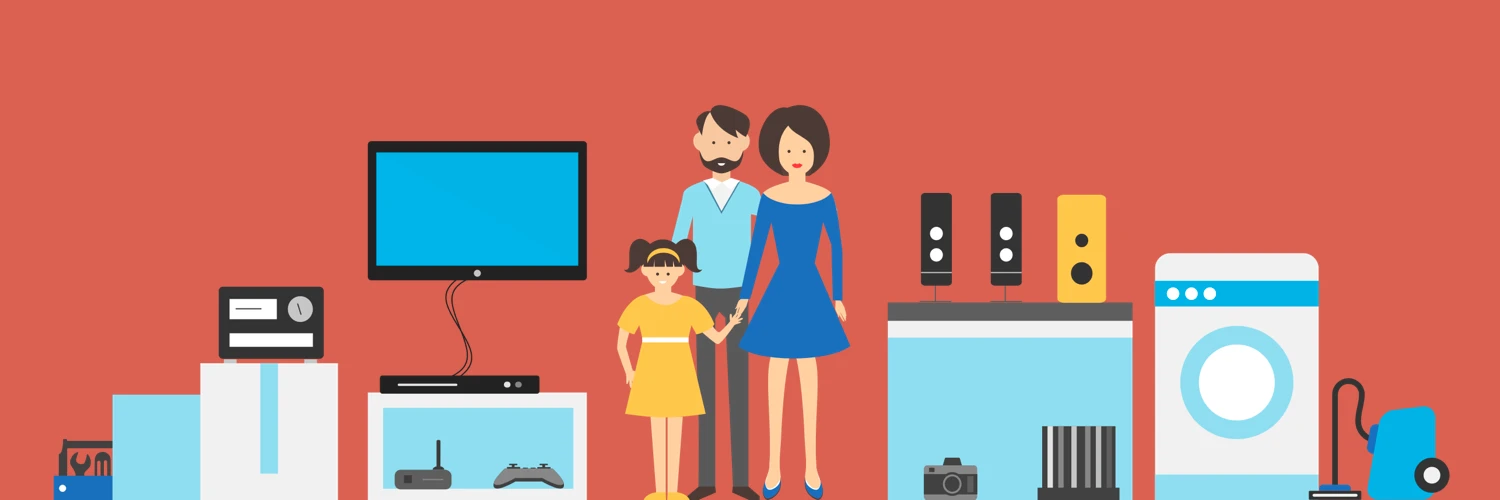
Owntastic illustration of a family surrounded by household appliances and electronics.

Owntastic aims to redefine the meaning of consumer product and service “ownership” and reimagine the experiences that go with it. The service and its companion mobile app enhance the post-purchase experience of a customer – service and maintenance, upgrades and follow-up offers, second sales, AMCs, etc.

Worked with the Owntastic team on:
1) Fleshing out the concept and defining features
2) Information Architecture underlying the app
3) Creating User Flows based on User Personas
4) UX Design and Prototyping
5) UI and Visual Design

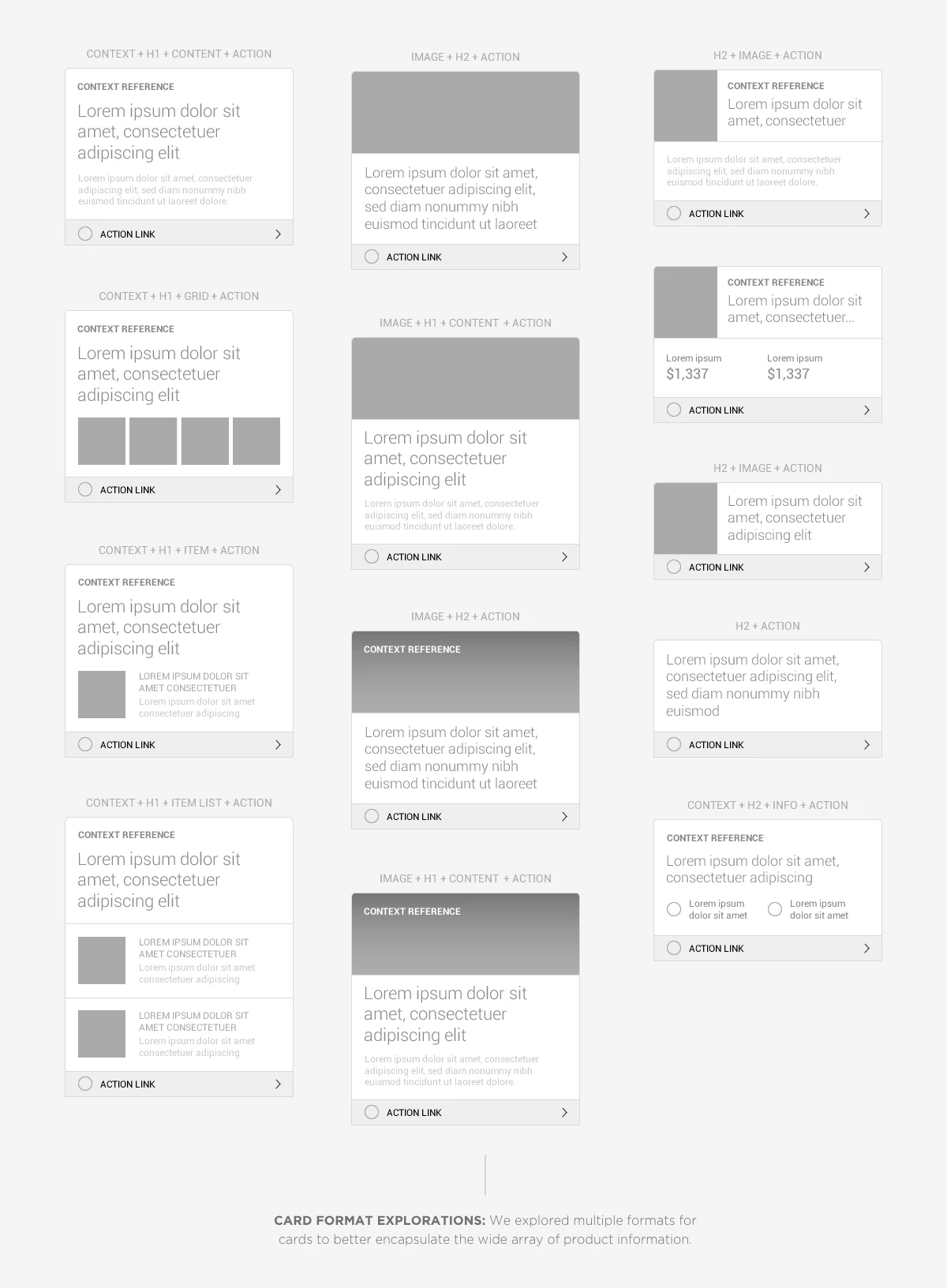
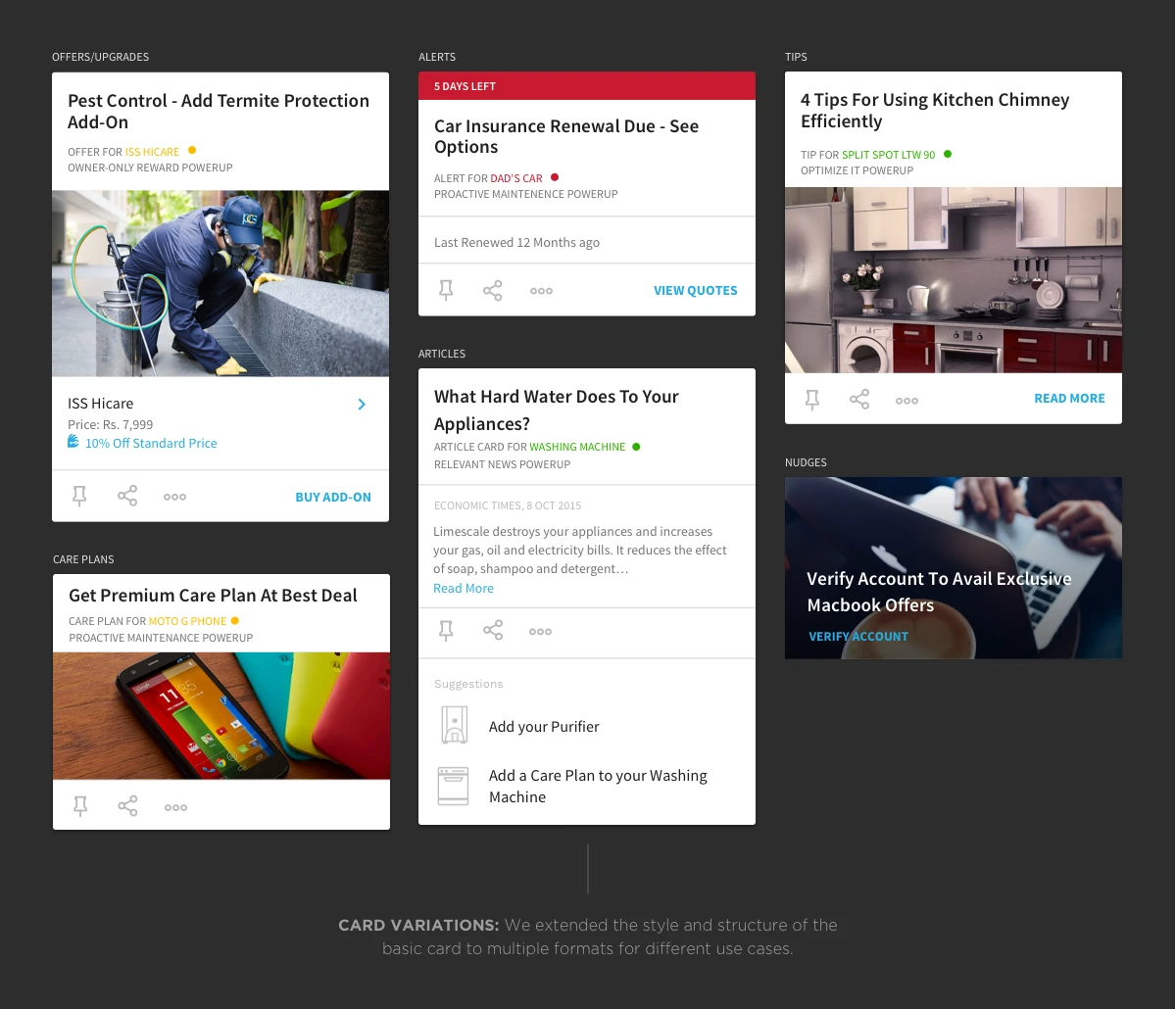
From an IA and UX perspective, devised a scalable and modular system of cards and screens that allowed the app to display the vast amounts of data on the app with different levels of detail, showing users only context-driven information at each touchpoint.

The visual language follows a functional and non-intrusive approach that keeps the focus on the user’s products/services. The goal of the UI was to create a feeling of familiarity – to spark immediate user engagement – rather than making a user learn new UI controls and metaphors.
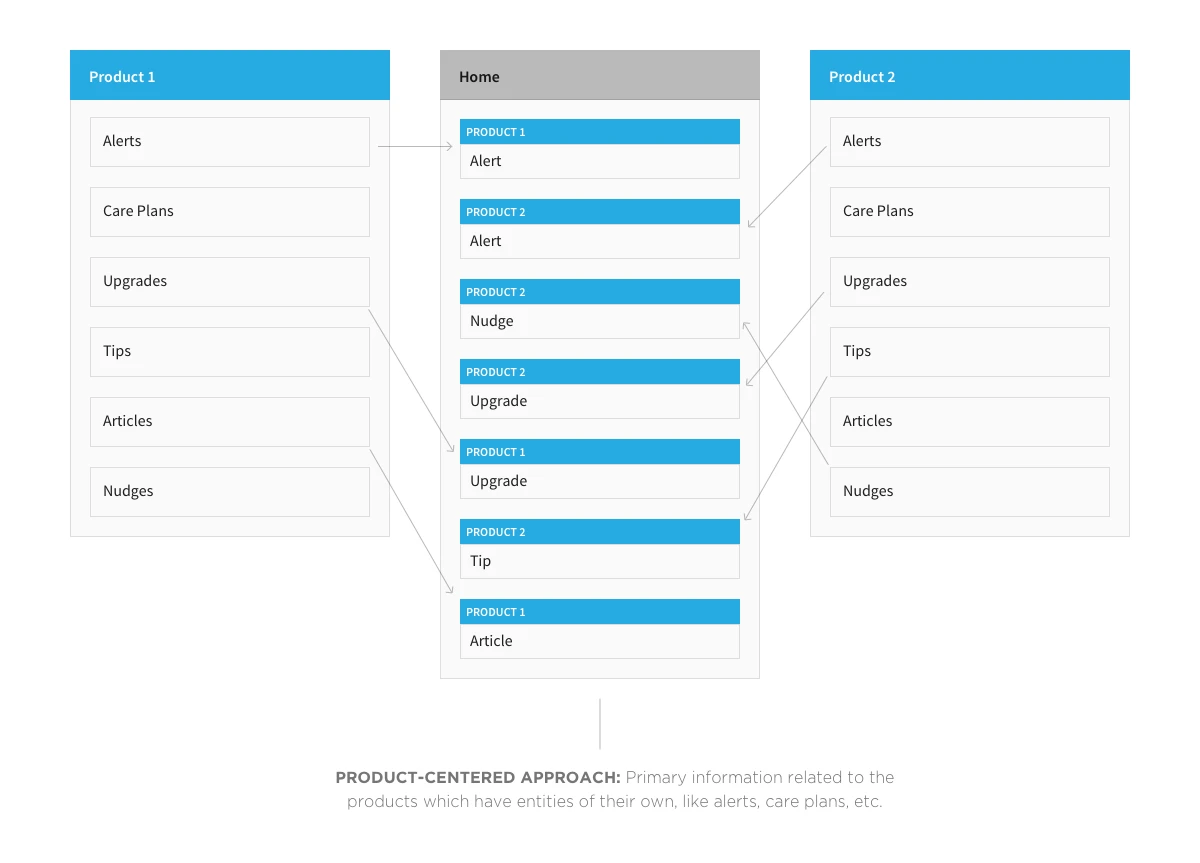
Owntastic's product-centered model brings alerts, care plans, upgrades, tips, and articles into a combined home feed.
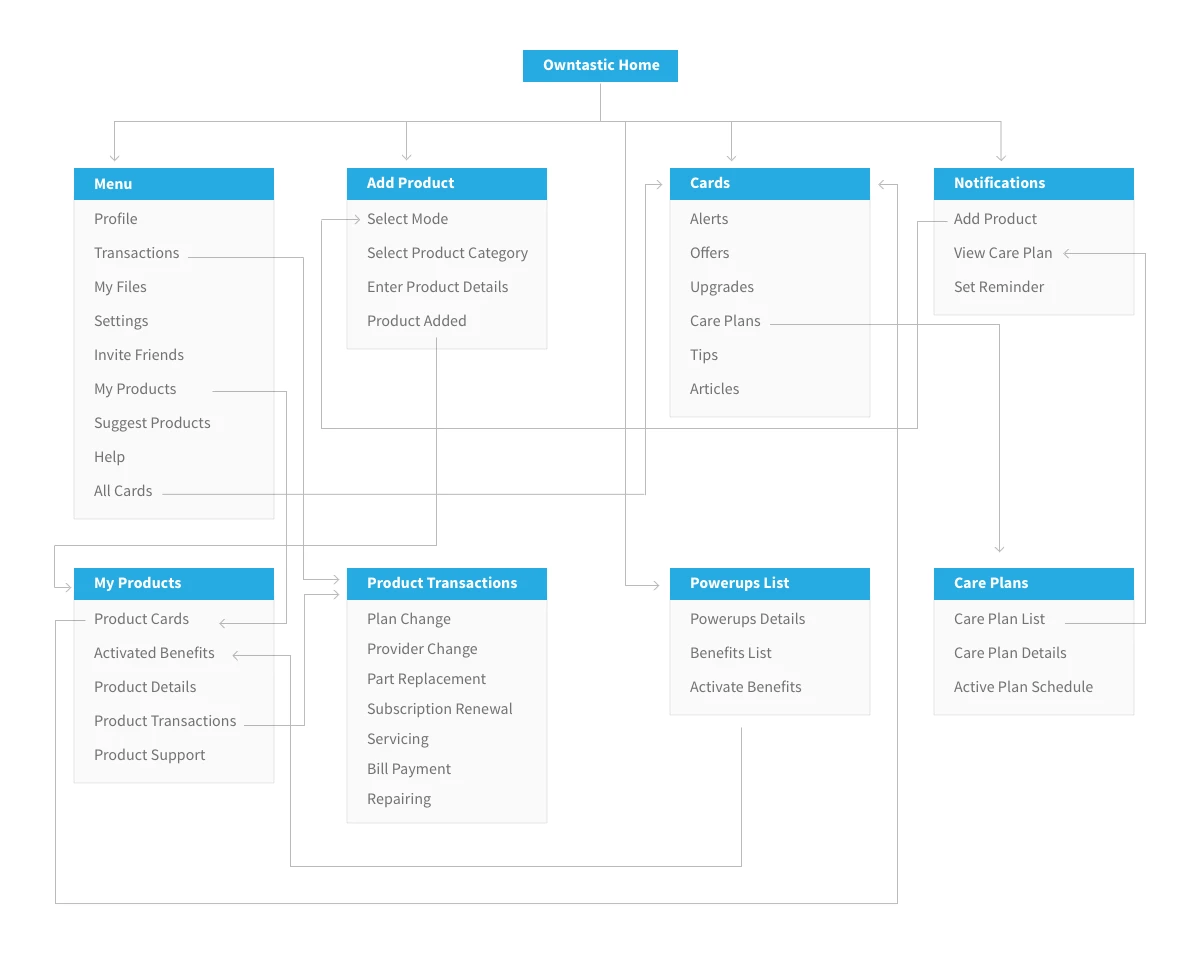
Owntastic information architecture connects products, cards, notifications, transactions, benefits, and care plans.
Owntastic wireframe explorations for different content-card layouts.
Owntastic card designs distinguish alerts, care plans, tips, articles, and product offers.
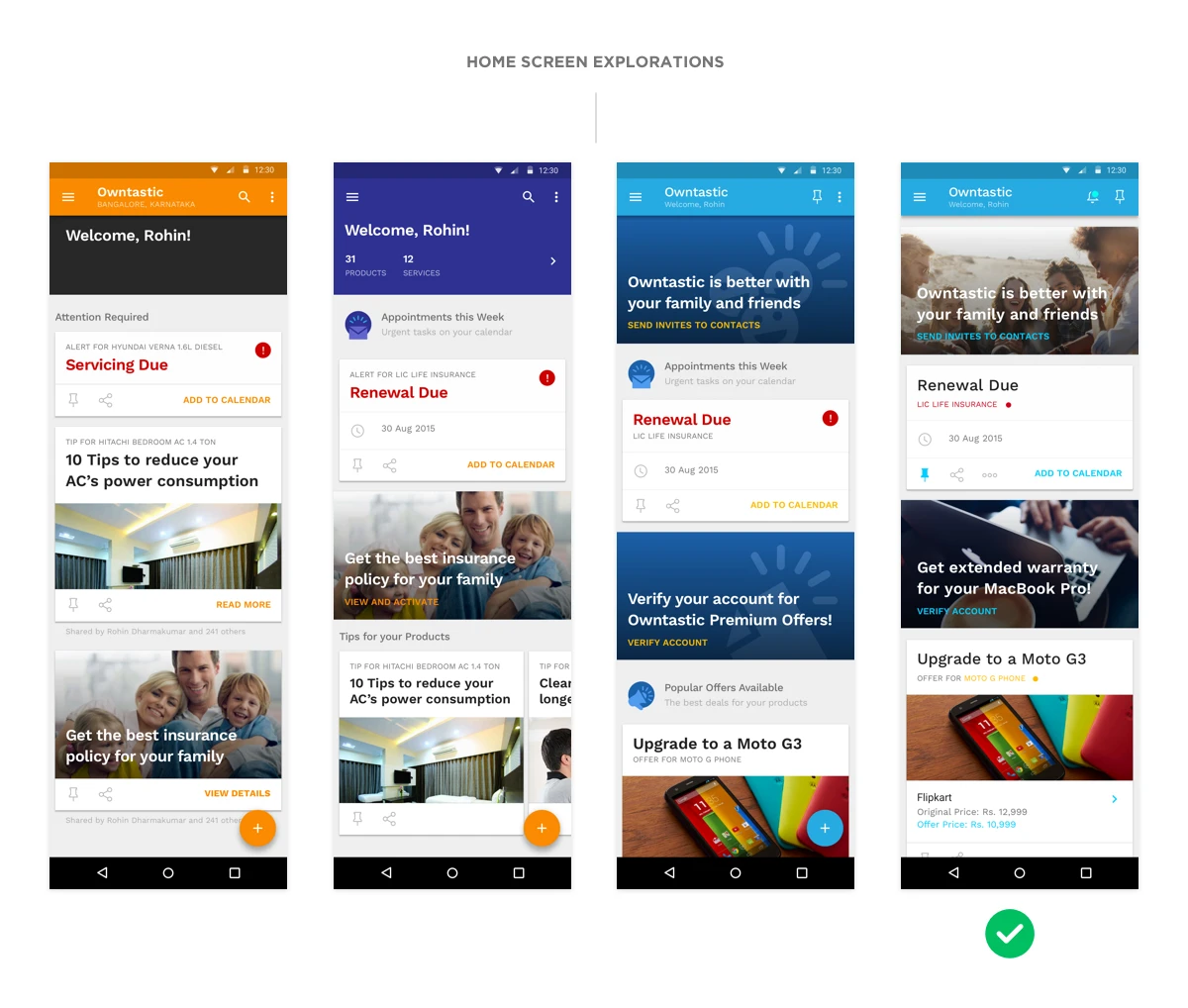
Owntastic home-screen alternatives, with the blue feed and photographic banner selected.
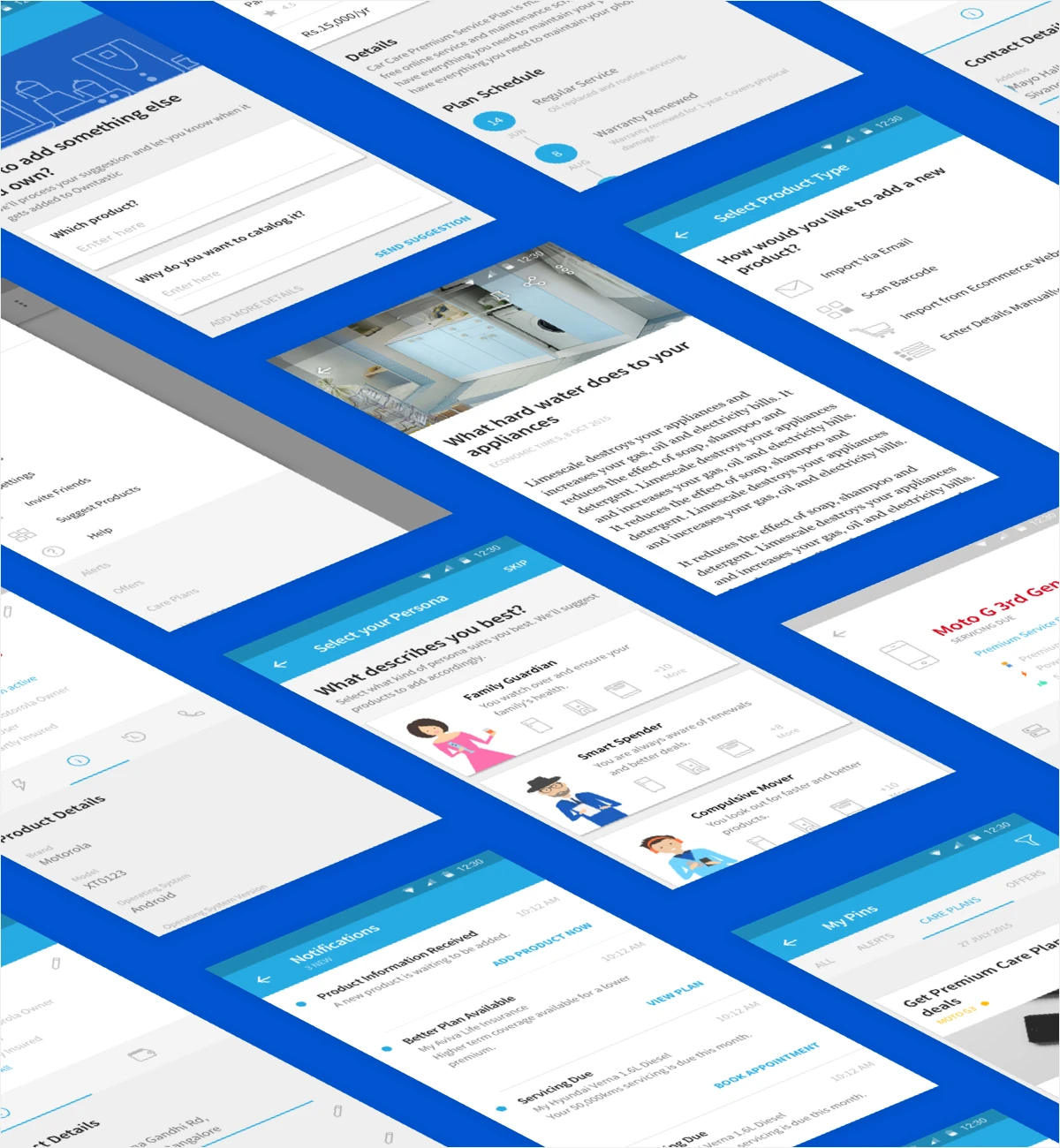
Owntastic screens for account information, product details, and support.
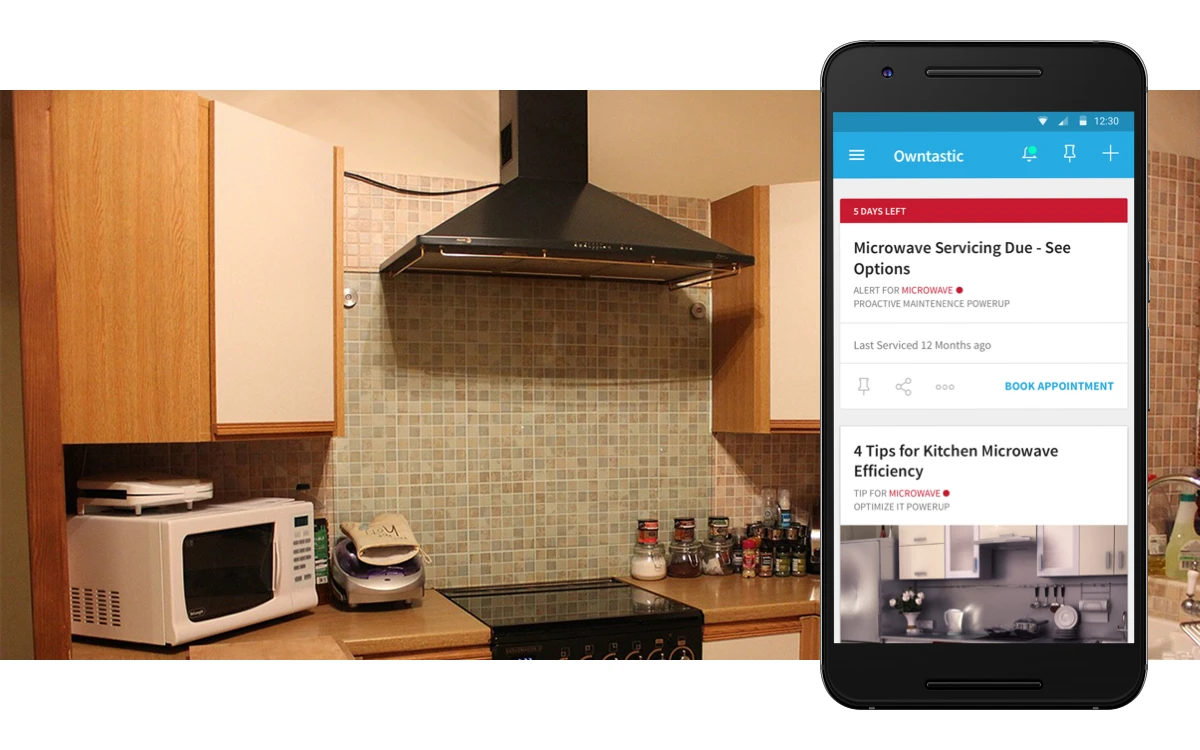
Owntastic home feed shows a microwave service reminder and related maintenance tips.
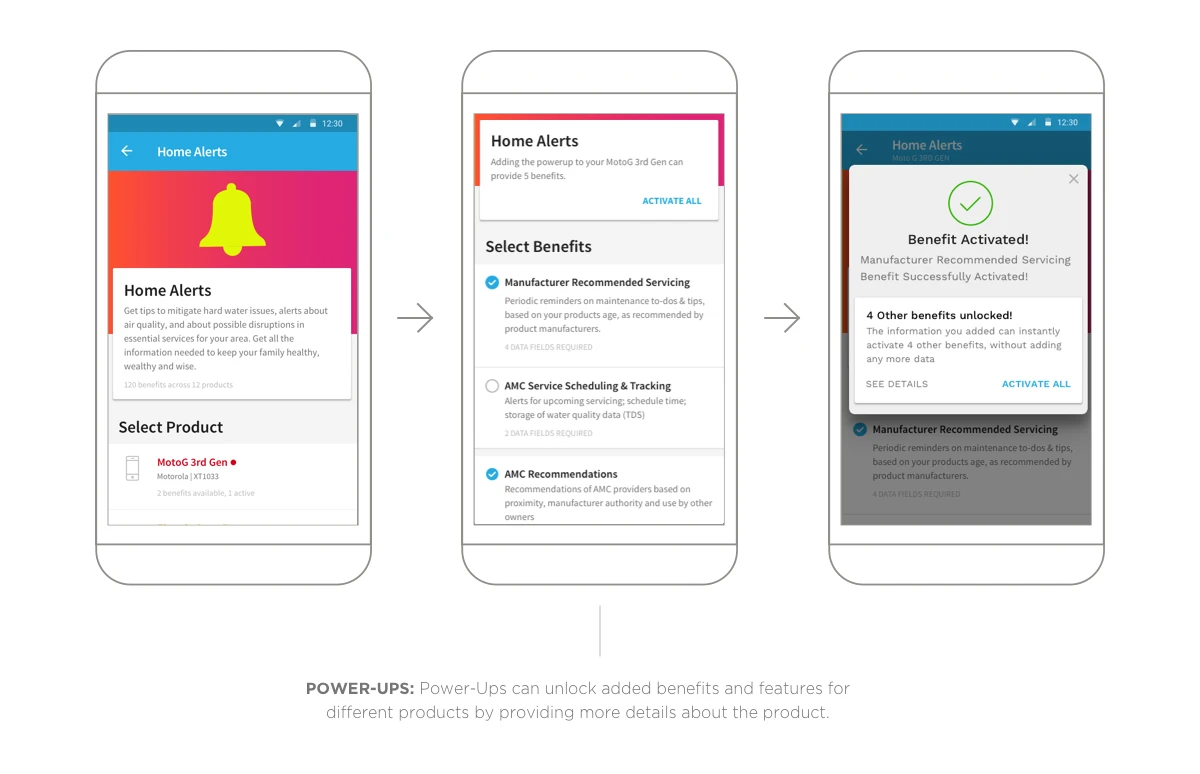
Owntastic flow for choosing a product, selecting benefits, and confirming activation.
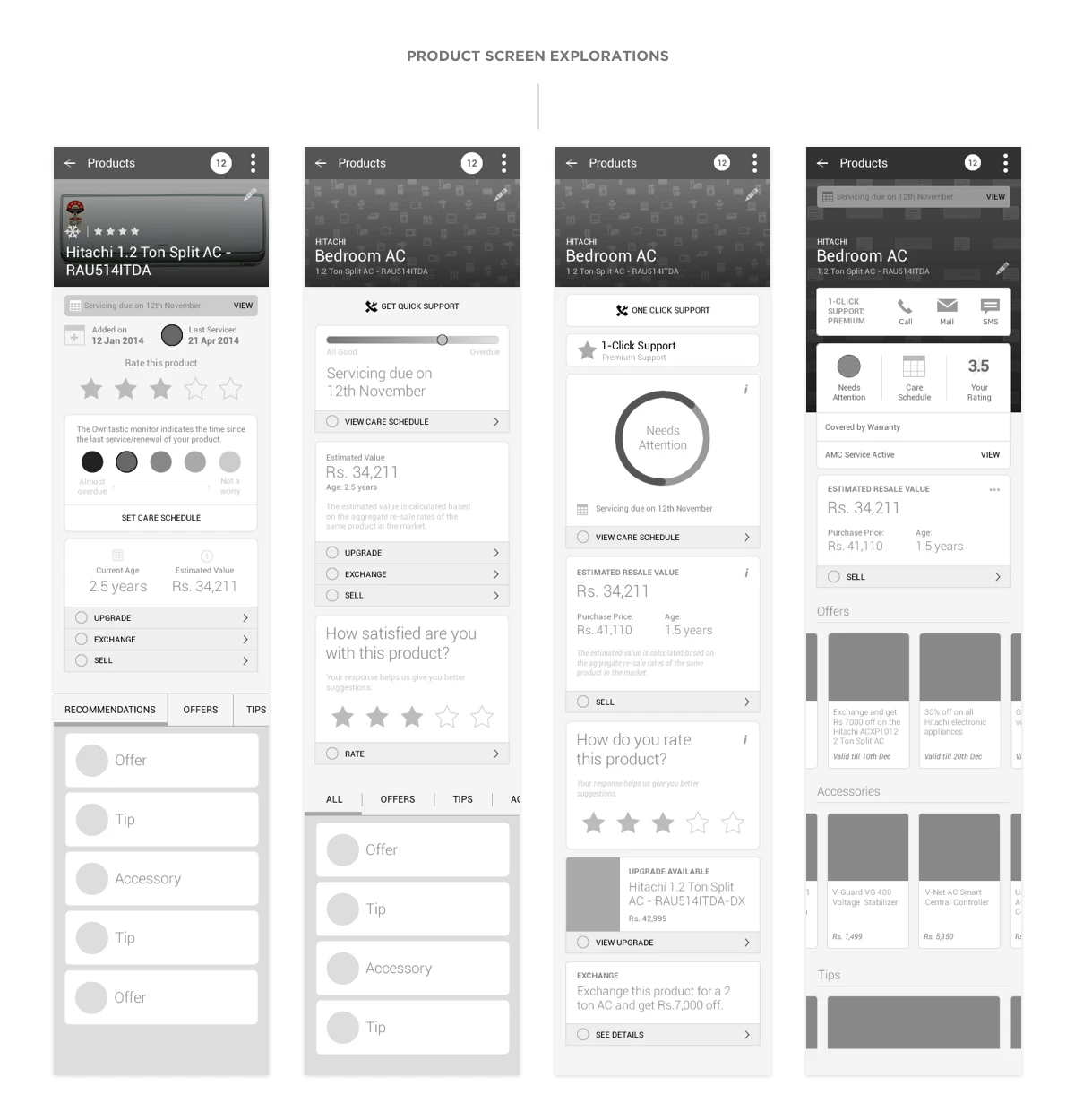
Owntastic wireframe alternatives for organizing product details, benefits, and transactions.
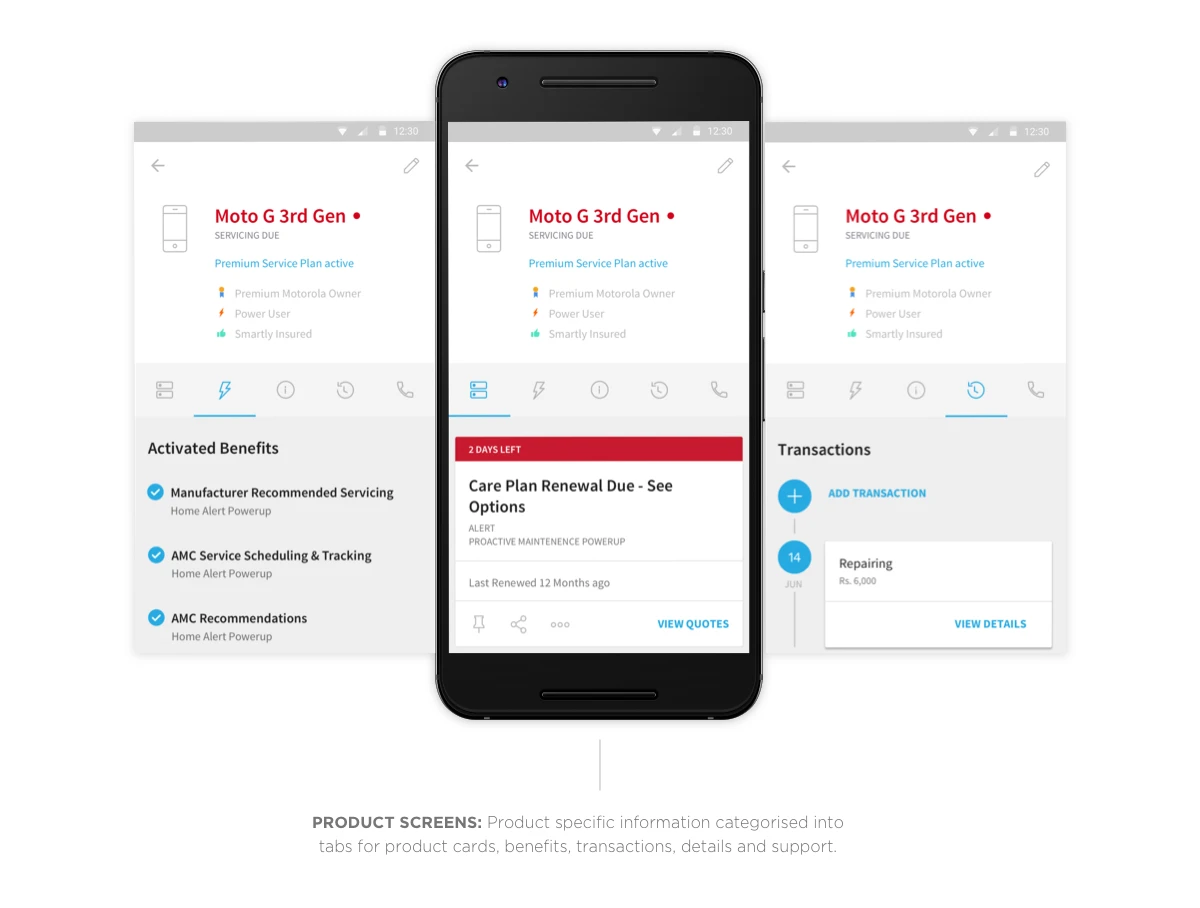
Owntastic product screens separate activated benefits, care-plan alerts, and transaction history into tabs.
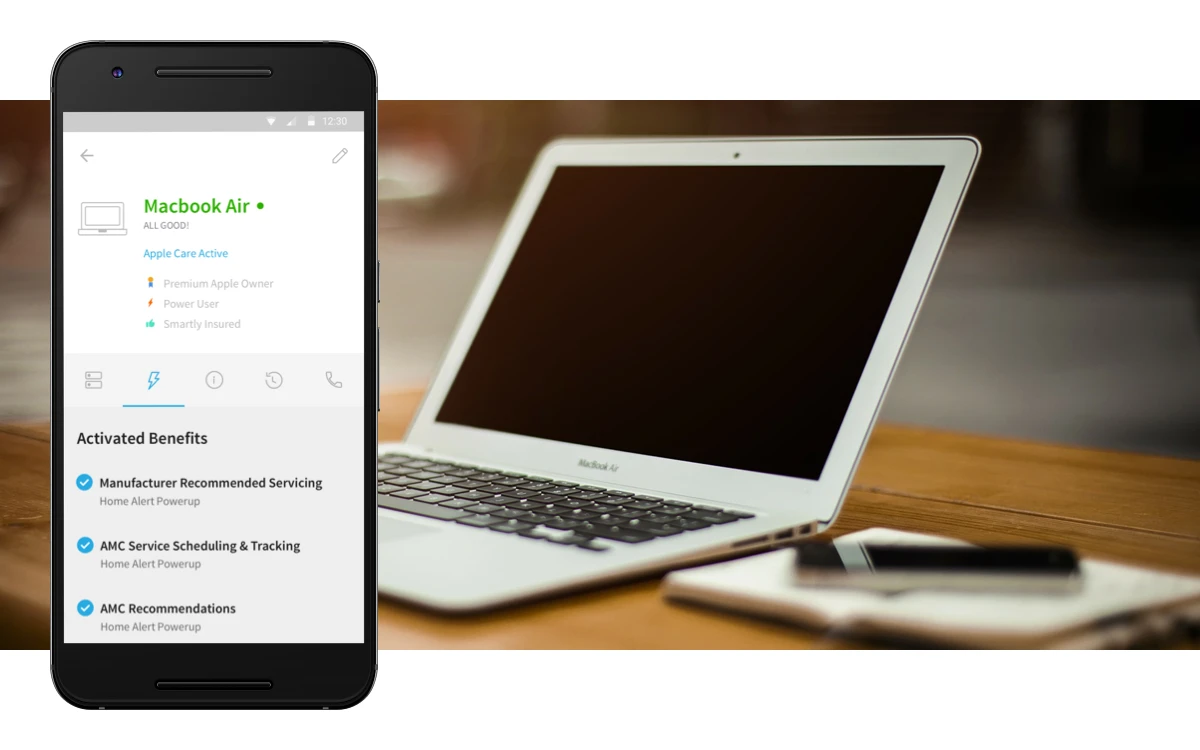
Owntastic product page shows a laptop's activated care benefits.
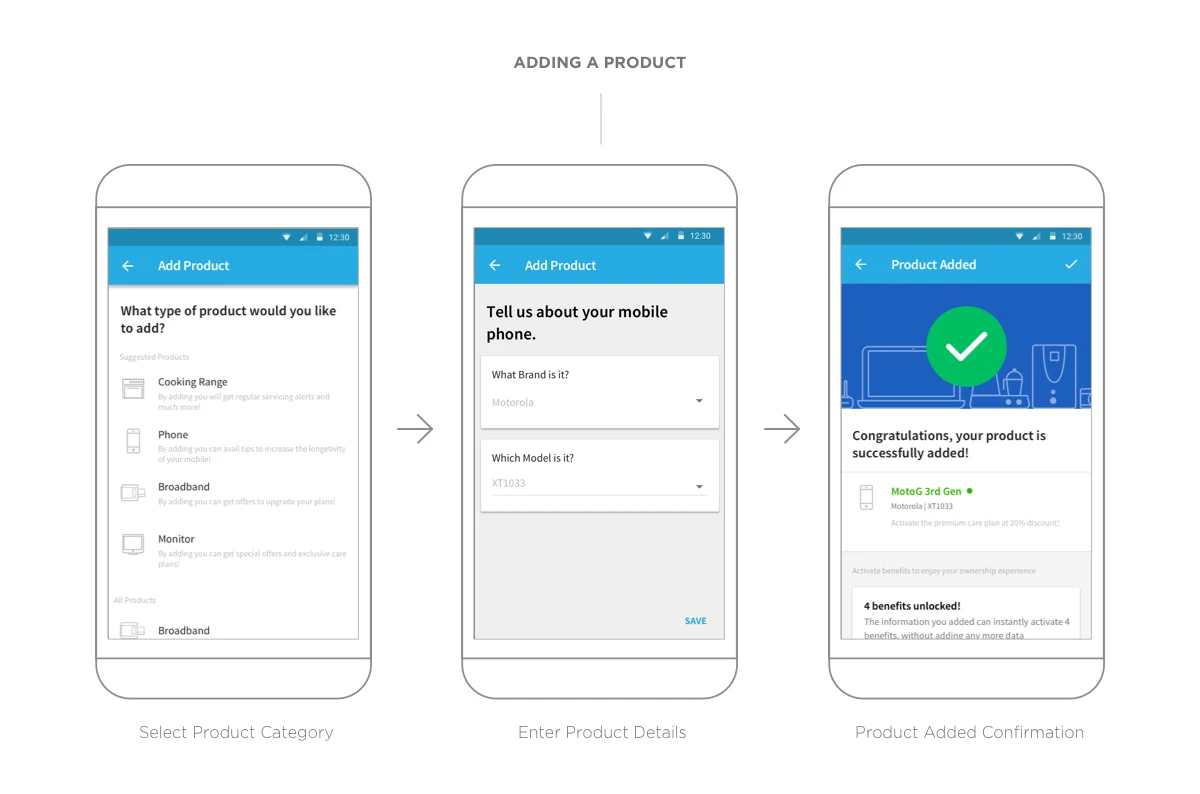
Owntastic add-product flow: choose a category, enter product details, and receive confirmation.
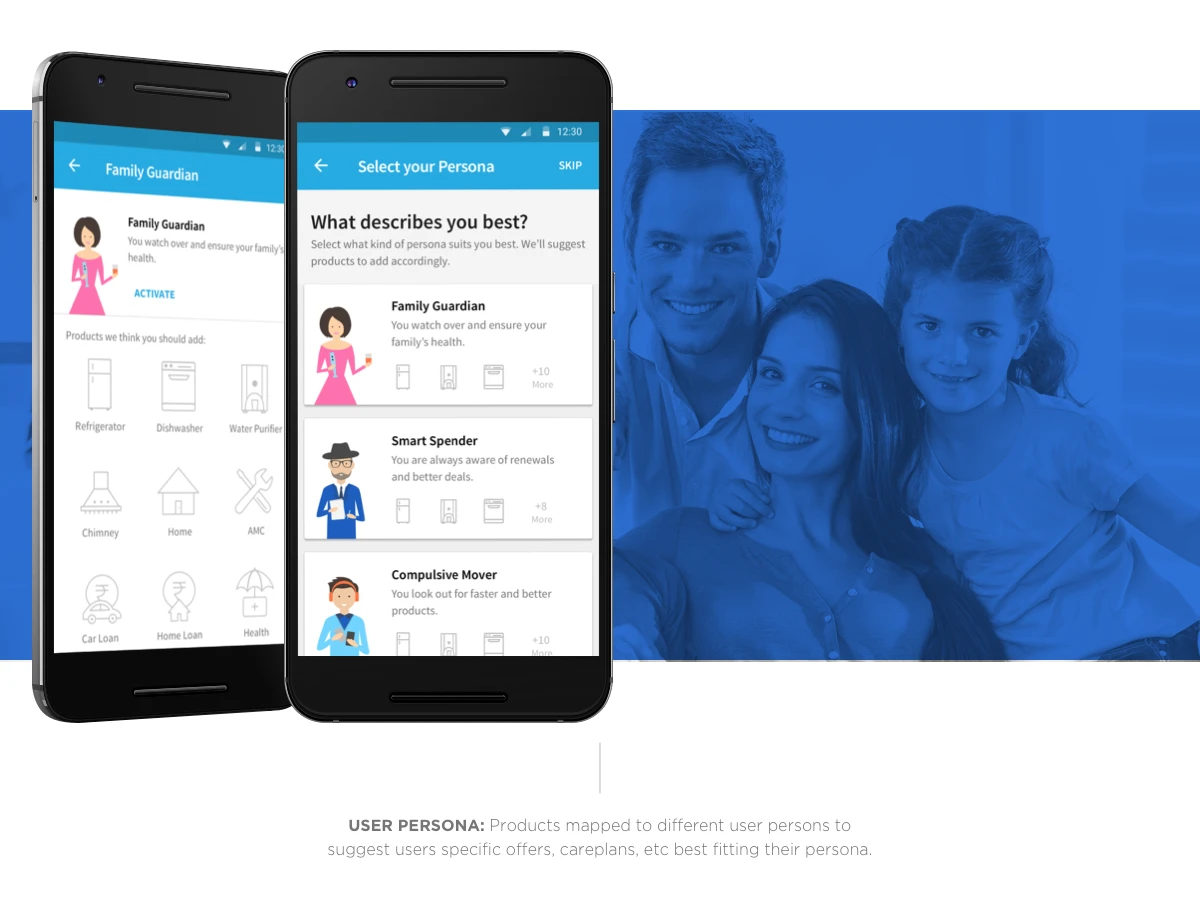
Owntastic persona selection tailors suggested services to different household needs.
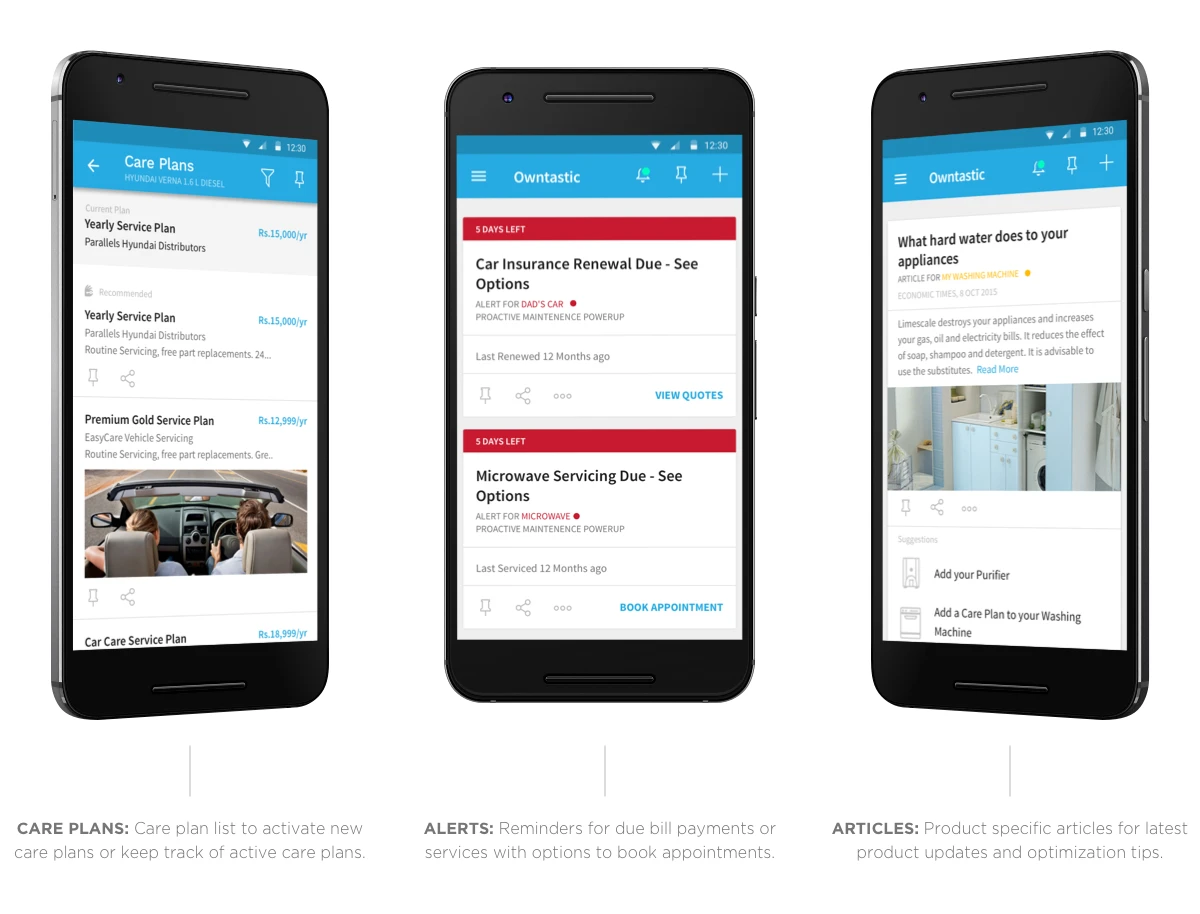
Owntastic screens for care plans, renewal alerts, and advice articles.
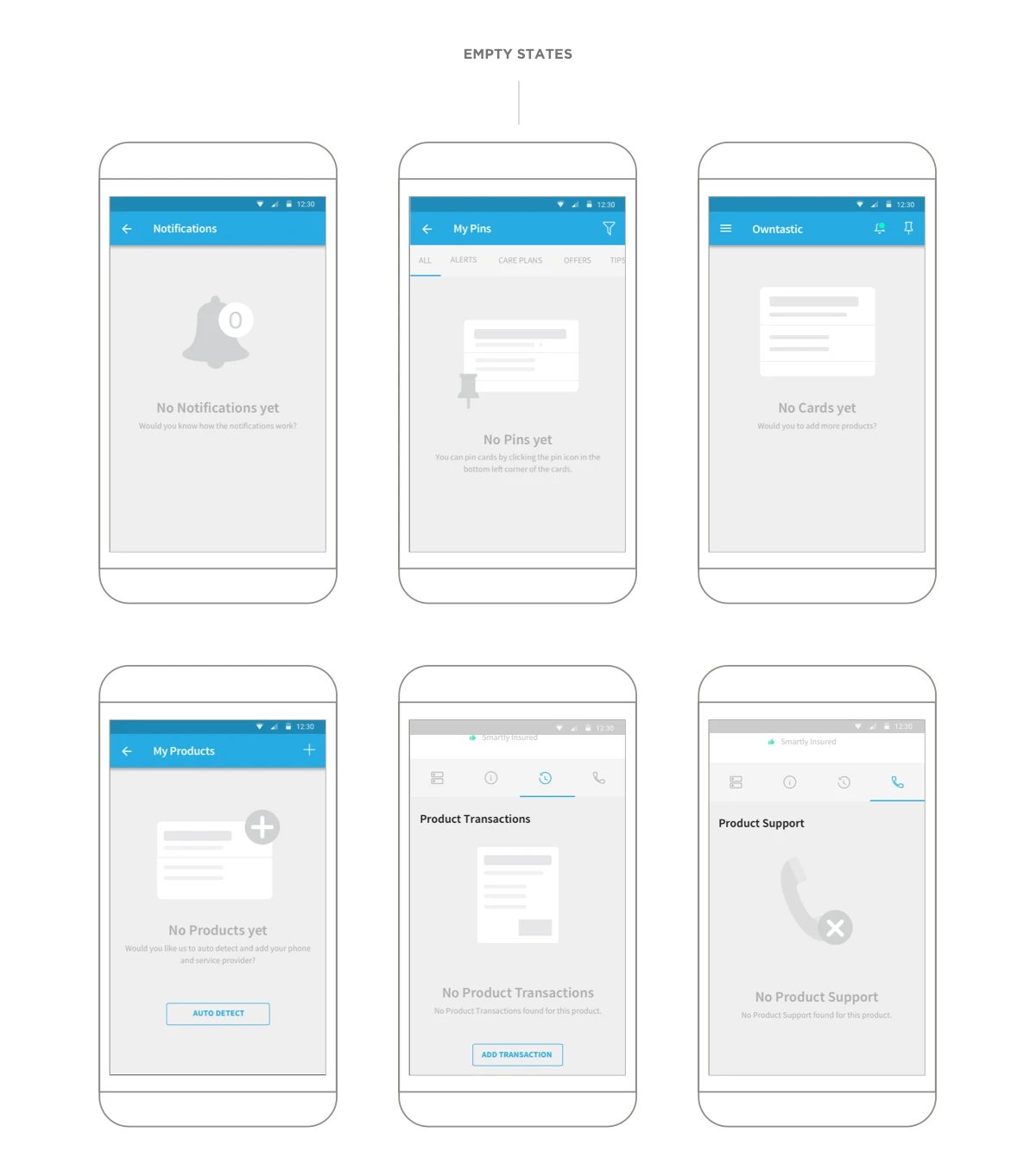
Owntastic empty states for notifications, files, cards, products, transactions, and support.
Owntastic product feed shown on a phone in use.
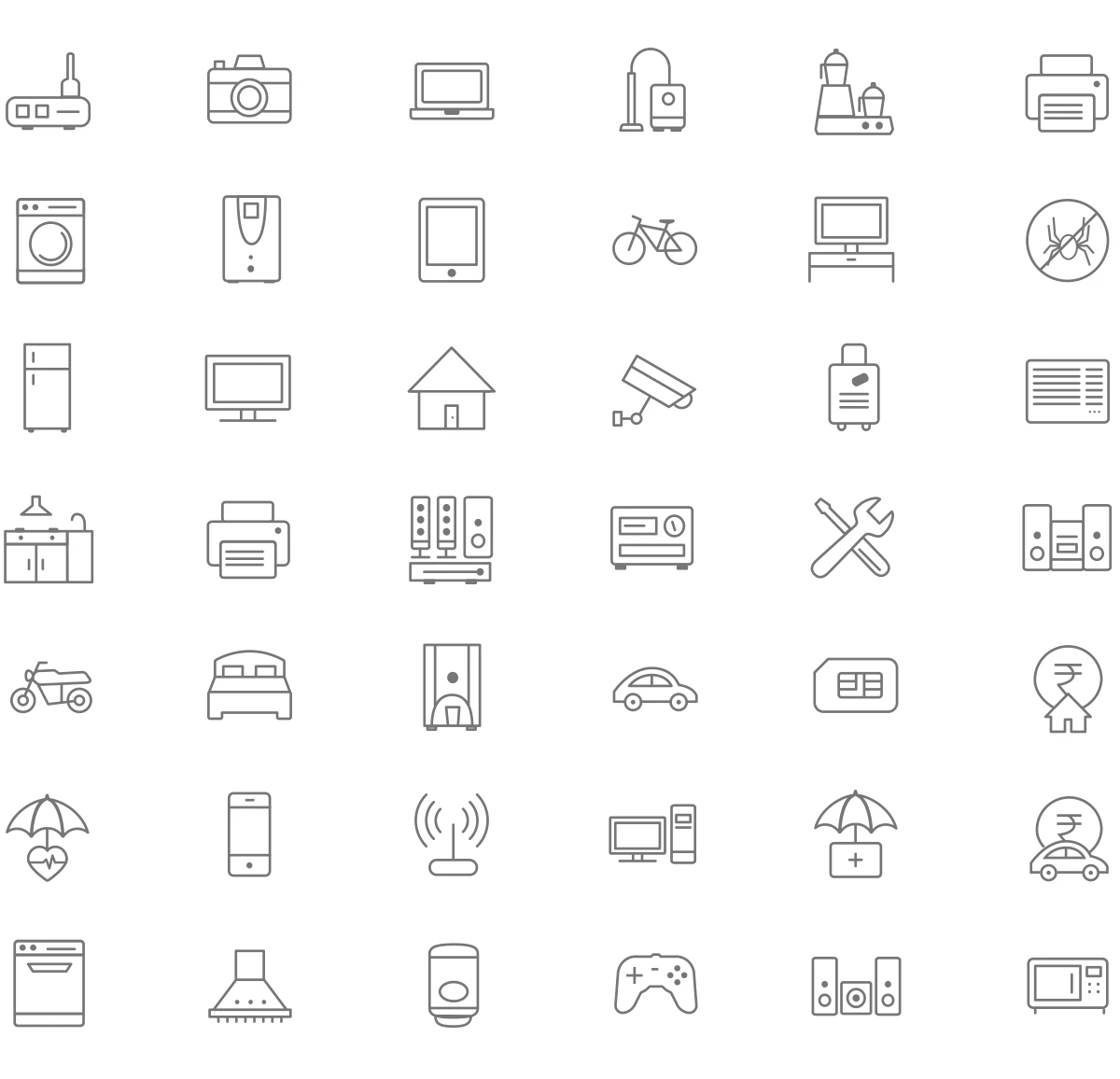
Owntastic outline icons represent household products, appliances, and services.
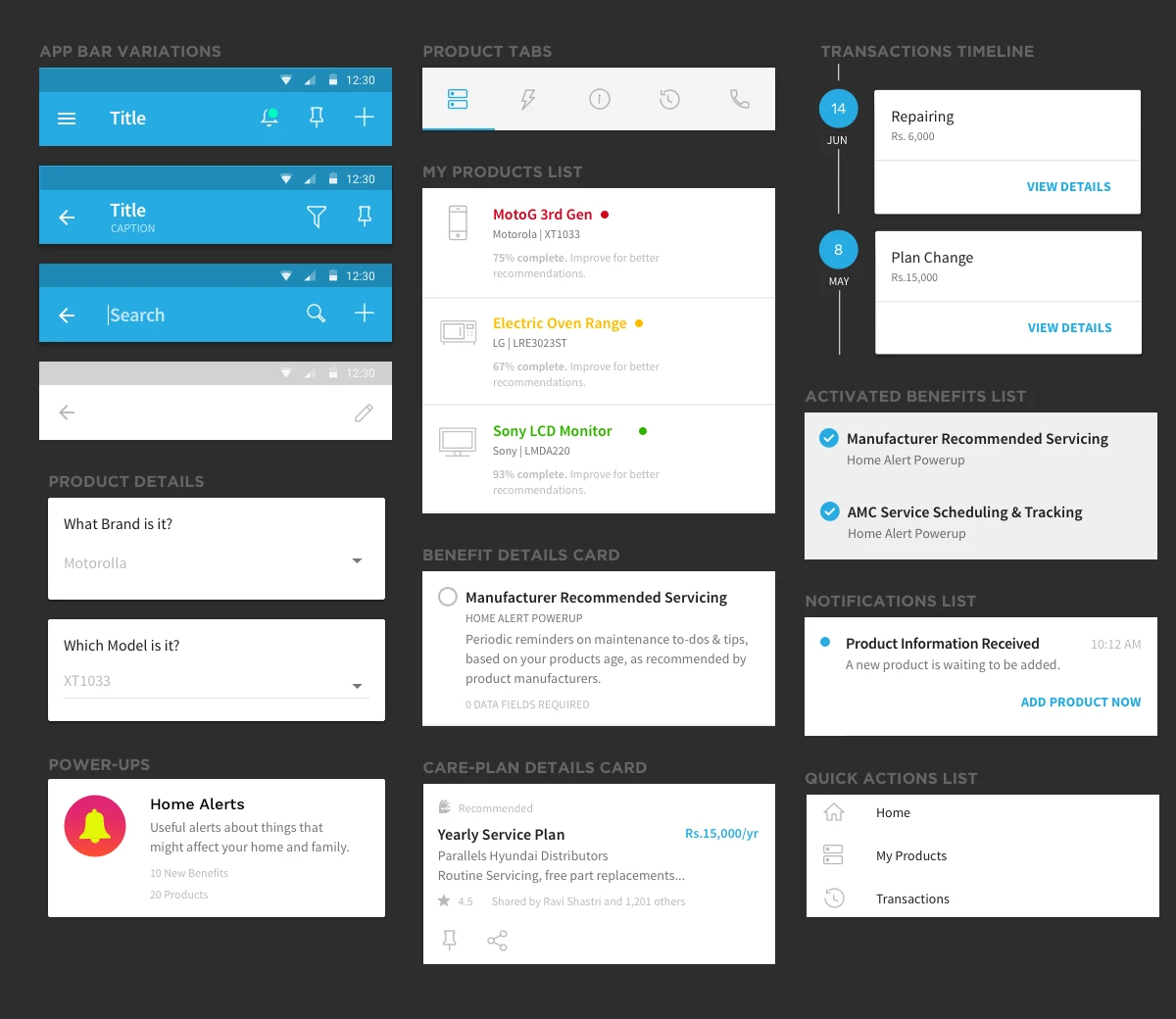
Owntastic component system includes toolbars, tabs, product lists, timelines, alerts, and benefit cards.

Work done at Beard Design Studio